Many website projects run into trouble before a single line of code is written. The brief is vague, the content is not ready, and nobody has agreed what the site is actually for. The result is usually delays, extra costs and a site that looks fine but does not do much.
You do not need technical knowledge to avoid this. You just need to think through a few things before you start talking to designers or developers. This guide walks you through them.
Set clear goals
Start with the most important question: what should the website do for your business? "Look professional" is a fair wish, but it is not a goal you can measure.
Useful goals sound more like this:
- Get more enquiries for a specific service.
- Let customers book appointments without calling.
- Sell products online.
- Answer common questions so the team spends less time on the phone.
- Give potential clients enough confidence to get in touch.
Pick one or two main goals. Every later decision, from the page layout to the features, should support them. When a goal is clear, it also becomes much easier to judge whether the finished site is working.
Know your audience
Next, think about who will visit the site and what they want when they arrive. Write a short description of your main types of visitor. For each one, note:
- What problem they are trying to solve.
- What questions they have before they contact you or buy.
- What might make them hesitate (price, trust, timing).
- Which device they are likely to use. For many businesses, most visitors arrive on a phone.
This is the information that turns a generic site into a useful one. It also helps whoever writes your content, because they will know who they are writing for.
Sketch a sitemap
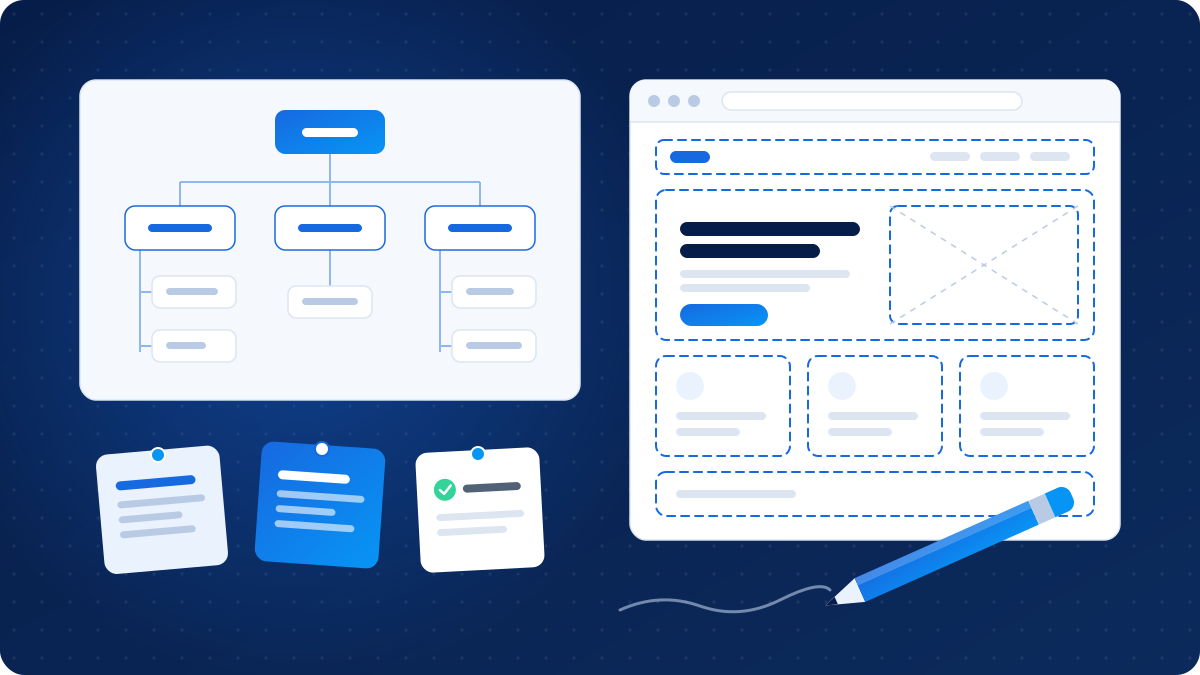
A sitemap is simply a list of the pages your site will have and how they connect. It does not need special software. A sheet of paper or a simple list works fine.
A typical small business site might include:
- Home
- About
- Services (with a separate page for each main service)
- Portfolio, case studies or examples of work
- Blog or resources
- Contact
- Privacy policy and terms
Separate service pages matter more than many people expect. A single page listing everything makes it hard for visitors to find what they need, and hard for search engines to understand what you offer.
Keep the structure as simple as you can. If you cannot explain why a page exists, it probably does not need to.
Plan your content early
Content is the most common reason website projects stall. The design is ready, the developer is waiting, and the text and photos are still "coming soon".
For each page on your sitemap, work out:
- What the page needs to say, in a few bullet points.
- Who will write it: you, someone on your team, or a copywriter.
- What images you have, and whether they are good enough to use. Real photos of your work and team usually build more trust than stock images.
- Any testimonials, examples or documents you want to include, and whether you have permission to use them.
Write in plain language, the way you would explain things to a customer in person. Short paragraphs and clear headings make pages much easier to read on a phone.
List your must-have features
Now list the features the site needs. Split them into two groups: must-haves for launch, and nice-to-haves that can come later.
Common must-haves include:
- A contact form that sends enquiries to the right person.
- Click-to-call and WhatsApp links for mobile visitors.
- A layout that works well on phones, tablets and desktops.
- The ability to edit text, images and blog posts yourself.
- Basic SEO settings such as page titles, descriptions and clean URLs.
- Analytics to see how people use the site, set up with proper consent where required.
Depending on your business, you might also need online booking, payments, a product catalogue, a client login area, multiple languages or connections to tools you already use, such as a CRM or accounting software.
Each extra feature adds cost and complexity, both now and for ongoing maintenance. Being clear about what is essential helps you get quotes you can compare fairly.
Questions to ask about budget
Website costs vary widely, and quotes are often hard to compare because they include different things. When you speak to developers or agencies, ask:
- What exactly is included in the price, and what counts as extra?
- How many rounds of design changes are included?
- Who is responsible for writing content and sourcing images?
- What are the ongoing costs (hosting, domain, licences, maintenance, updates)?
- How are changes handled after launch, and how are they charged?
- What is the expected timeline, and what do you need to provide to keep it on track?
- How are payments split across the project?
It also helps to have a rough budget range in mind before you start. Sharing it lets a developer suggest what is realistic, rather than guessing and quoting for something you do not need.
Ownership, hosting and access
This part is easy to skip and painful to sort out later. Before work begins, agree on the following in writing:
- Domain name: it should be registered in your business's name, with login details you control.
- Hosting: know who the hosting provider is, who pays for it and how to access the account.
- Website files and content: confirm that you will own the finished site, its content and its design once the project is paid for, and what happens with any licensed themes, plugins or fonts.
- Admin access: make sure you have your own administrator login, not just a shared one.
- Backups and security updates: agree who handles them, and how often.
- Accounts for tools: analytics, Search Console, email and other services should be set up under your business accounts so they stay with you.
Getting this right means you can change providers in the future without losing your website or starting again.
Put it together in a simple brief
Once you have worked through the steps above, collect your notes into a short brief. It does not need to be formal. A few pages covering your goals, audience, sitemap, content plan, features, budget range and timeline is plenty.
A clear brief helps you get more accurate quotes, makes early conversations more productive and gives everyone a shared reference point if questions come up later.
Closing thoughts
A good website starts with clear decisions, not with design. Know what you want the site to do, who it is for and what it needs to include, and you will be in a much stronger position when you start talking to developers. If you would like help shaping your brief, OzTechVerse is always happy to have that conversation.